The TUI
Start Nocturn with no arguments and it takes the screen:
╭─ conversations ────────────────────╮╭─ quarterly report ─────────────────────────╮│ chats 8 ▸agents 4 ││ you › summarise the quarterly report ││ ││ ⏺ file_read {"path":"mnt/knowledge/q3.md"} ││ ▸ quarterly report ││ 412ms → # Q3 — revenue up 12 % against … ││ you · 3m • ││ ││ │ nightly digest ││ Three things stand out: ││ daily · 2h ││ 1. Revenue is up 12 % against Q2 │╰────────────────────────────────────╯╰─────────────────────────────────────────────╯╭─────────────────────────────────────────────────────────────────────────────────────╮│ › │╰─────────────────────────────────────────────────────────────────────────────────────╯ chat 8f2a · you · idle · 1 842 tok opus-5 Enter send · Ctrl+N new · Tab → list · Ctrl+P commands · Ctrl+Q quitIt needs a real terminal. Piped into anything it refuses and says so, exiting 2 — there is no
non-interactive chat mode, and writing escape sequences into a redirect is worse than a refusal. Run
nocturn serve for the version that speaks over a socket.
Its own diagnostics never print over the screen: they go to nocturn-data/nocturn.log, and Ctrl+L
opens a pane on the same records.
Where you are, always
Section titled “Where you are, always”The two lines under the composer are the whole navigation model.
The first is what is: which conversation, who started it, whether a turn is running and for how long, what it has cost, which model. Nothing writes to it — every field is read from the state that decides it, so it cannot describe a moment that has passed.
The second is what the keys mean right now. It changes with the region holding the keyboard and
with the mode you are in, and it names where Tab goes rather than just offering it. A message that
just happened — a refusal, a confirmation — takes that line for four seconds and then gives it back.
The pane holding the keyboard draws a heavier border in the brand’s purple and marks its title with
▸. Tab moves to the next one, Shift+Tab back.
Watching it work
Section titled “Watching it work”The reply streams as it is produced, and renders as Markdown once the turn ends — half a fenced block is not Markdown yet.
Each tool call is one line: what ran, its arguments, how long it took, and a glance at what came back. The glance is as long as the pane has room for, and a call that FAILED spends most of the line on the reason rather than on the arguments.
⏺ file_read {"path":"mnt/knowledge/q3.md"} 412ms → # Q3 — revenue up 12 % against …◐ agent_research {"question":"pricing"} 7s✗ http_read {"url":"https://api.internal"} dial tcp 10.14.7.22:443: connection refusedClick a line to see the call whole — its entire input and its entire output, in an overlay you can scroll. That is the one place with no truncation of any kind.
While a turn is thinking, its reasoning shows as a dim trailing line, and disappears once the answer is there.
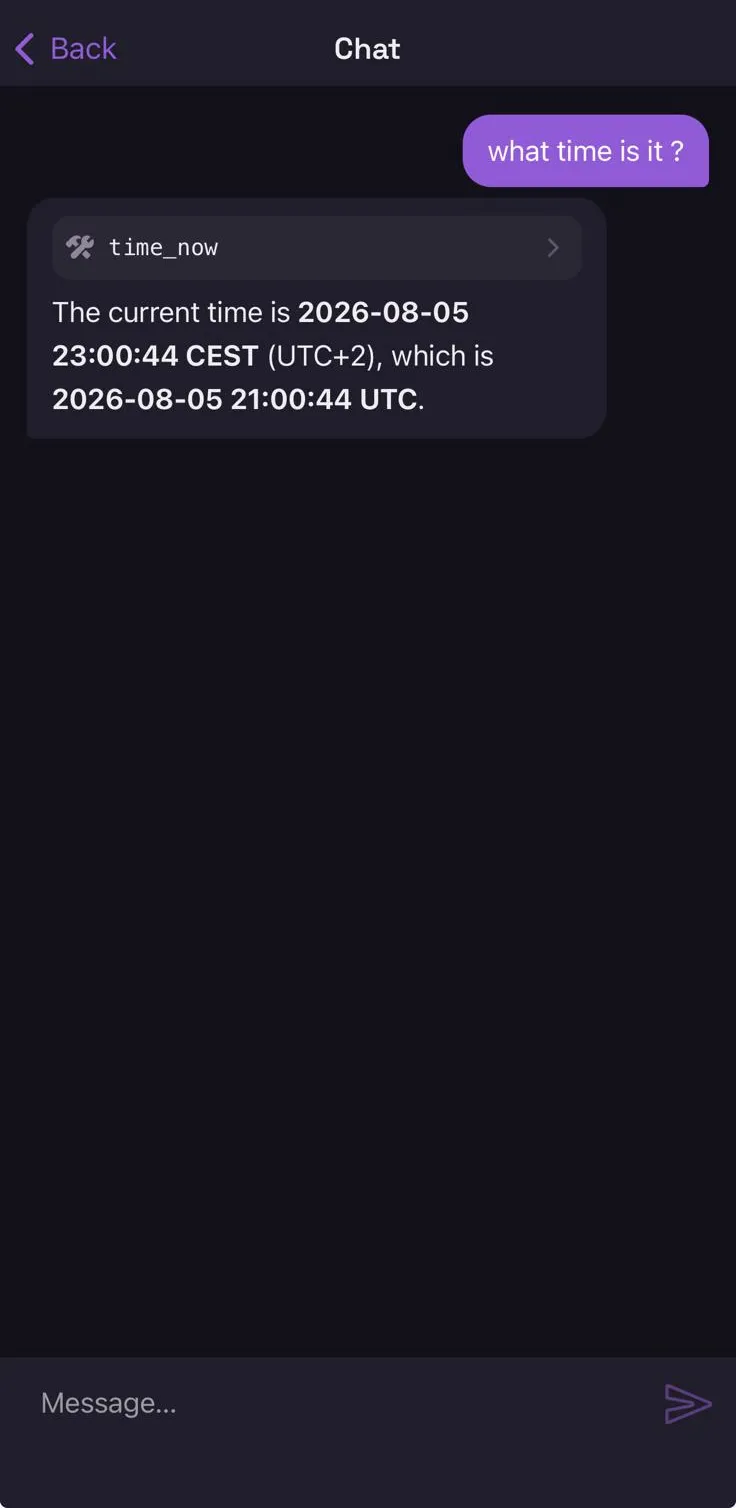
The same conversation is readable from the companion app — conversations belong to the workspace, not to the device you started them on:
Approving an action
Section titled “Approving an action”When a tool needs your decision the turn stops and the question covers the screen:
╭──────────────────────────────────────────────╮ │ approve net │ │ → api.github.com │ │──────────────────────────────────────────────│ │ ▸ 1 once │ │ 2 this session │ │ 3 always │ │ 4 always net "*.github.com" (wider …) │ ╰──────────────────────────────────────────────╯ ↑↓ pick · Enter allow · 1-4 direct · n or Esc denyTwo ways in: a digit is the fastest, ↑↓ and Enter are the gesture every other list here uses.
| Answer | Meaning |
|---|---|
1 |
yes, once — nothing is remembered |
2 |
yes, and remember it for this session |
3 |
yes, and remember it always — written to grants.json |
4, 5, … |
yes, and remember the widened target that is offered, marked as wider than asked |
n, Esc, Ctrl+C |
no |
Anything that is not one of the offered answers is a no. What is being approved is the
{kind → target} pair, never “this tool” in general — see cage and gate.
The question is drawn from the gate’s own action, never from anything the model wrote, so an injected prompt cannot phrase the question it is being asked about.
Commands
Section titled “Commands”Ctrl+P opens the palette, which is the list of everything you can do. Type to narrow it, ↑↓ to
pick, Enter to run. Verbs that need something to act on — open, delete, fire — ask which in a
second step; Esc backs out of that step before it closes the palette.
| new chat | Start a fresh conversation |
| open chat… | Read one you have had |
| fire agent… | Run one of this workspace’s agents now |
| workspace | What this assistant can do, and what is broken |
| logs | Show or hide the log pane |
| delete chat… | Throw one away, after a confirmation that names it |
| quit | Leave |
The slash commands still work for typists: /new, /open <id>, /chats, /agents,
/fire <name> <task>, /help, /quit. /help and /agents open the palette rather than writing
into the conversation. Anything else beginning with / is sent to the model, which is allowed to be
asked about things that start with a slash.
/new deletes nothing: the old conversation keeps living in the workspace. Session-scoped approvals
belong to the running process, not to the conversation, so they survive /new and end when you quit.
The conversations list
Section titled “The conversations list”One list at a time: the chats you had, or the runs the agents had. They are the same kind of thing —
a transcript with a time of last activity — but they answer different questions, and a list holding
both answers the second only after you have read past the first. ← and → switch, or click a chip.
Newest activity first. A run carries the name of the agent that owns it; a conversation with
something new in it carries •.
Agents run alongside you
Section titled “Agents run alongside you”Firing an agent opens its run, so you watch it work. A run is read-only: it has its own
instructions and its own cage, so there is no composer at the bottom of one — a line says so instead,
and Ctrl+N starts a chat.
A run fired without a task is triggered with a default message; the agent’s work is its instructions,
and the task is only what sets it going. /fire <name> <task> is how you say something more.
Runs started by a schedule stream in the background: their conversation rises in the list and carries
•, and a line under the composer says when one has finished. What an agent may do on its own is its
autonomy setting; see Agents.
What this workspace can do
Section titled “What this workspace can do”Ctrl+K answers the other question: what can this assistant reach right now, and is any of it
broken.
It leads with the verdict — every server that did not come up, every credential that cannot be read, each with its reason wrapped rather than cut. Under that are seven sections in fixed places, each showing a count and a few characterising lines: agents, mcp, extensions, tools, knowledge, memory, secrets.
The lists that grow are summarised rather than printed. A knowledge base is broken down by top-level directory, the toolset by name family, and memory shows how much of its catalog fits the budget that reaches every prompt — a ceiling that is enforced, so notes past it never arrive.
Press a digit 1–7 to open a section whole, / to filter the three long ones, Esc to come back.
| Key | What it does |
|---|---|
Enter |
Send, or open what the list is pointing at |
Tab · Shift+Tab |
The next region, named in the hint line |
↑ ↓ · j k |
Scroll, or walk the list |
PgUp PgDn · g G |
A page · the beginning and the end |
← → |
Chats or agent runs, while the list has the keyboard |
Ctrl+P |
The command palette |
Ctrl+N |
A new conversation |
Ctrl+K |
What this workspace can do |
Ctrl+L |
The log pane |
Ctrl+C |
Cancel the running turn — never the program |
Ctrl+Q |
Leave, from anywhere |
The mouse works too: the wheel scrolls whatever is under the pointer, the scrollbar takes a click and a drag, and a click opens a conversation, a filter chip, or a tool call.
Other subcommands
Section titled “Other subcommands”The chat is what you get with no arguments. The binary does a few other things:
| Command | What it does |
|---|---|
nocturn serve |
Run the server the companion app talks to |
nocturn ls |
List workspaces |
nocturn secret set <target> · nocturn secret ls |
Manage vault credentials |
nocturn auth <provider> |
Run an OAuth flow and store the token |
nocturn version · nocturn help |
The obvious |
Most of them take -w <workspace> (default main).